Press kit
Dropbay: Drag & Drop Shelf. Shake the pointer while dragging and a shelf appears; drop things on it, then drag them all out at once.
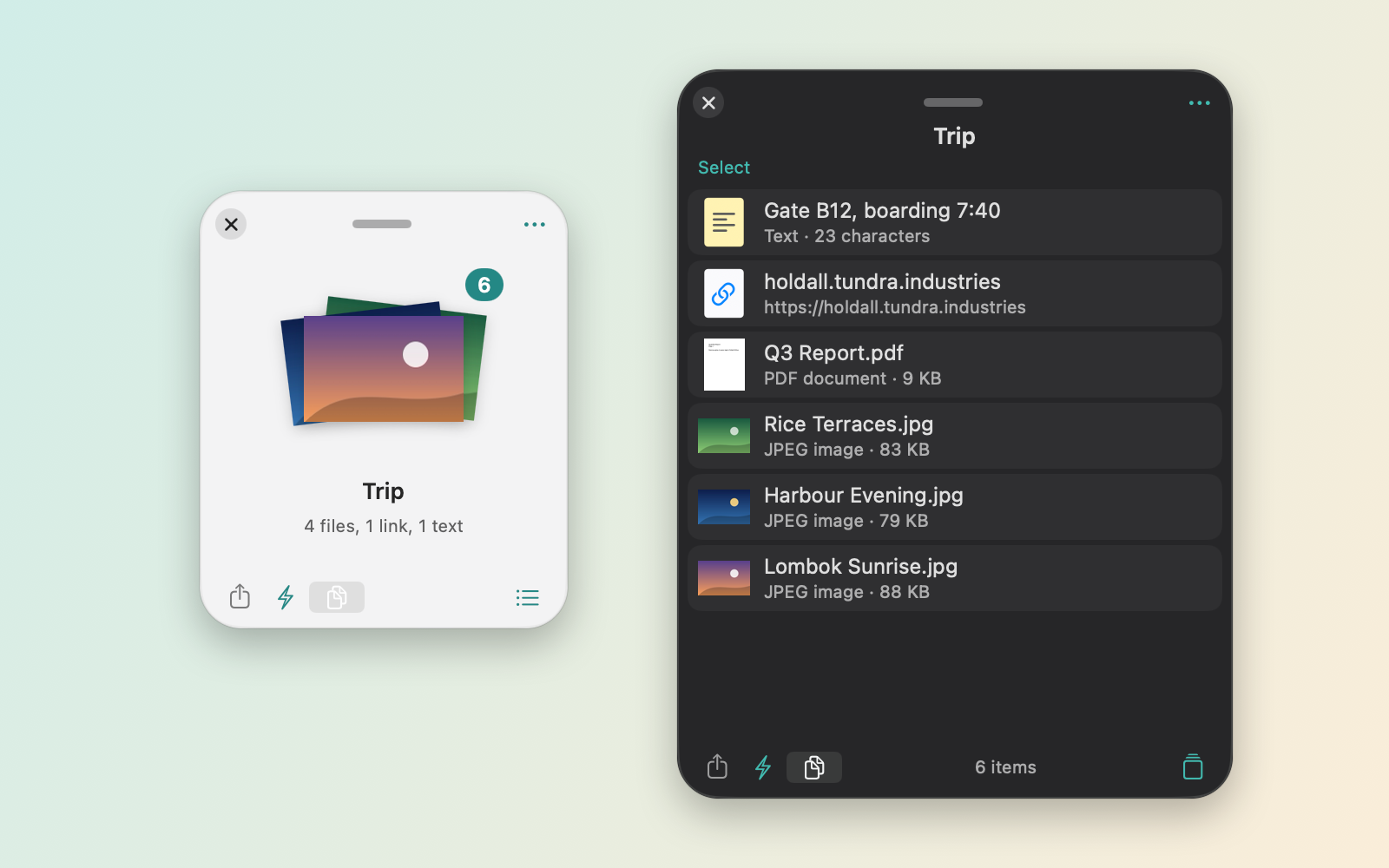
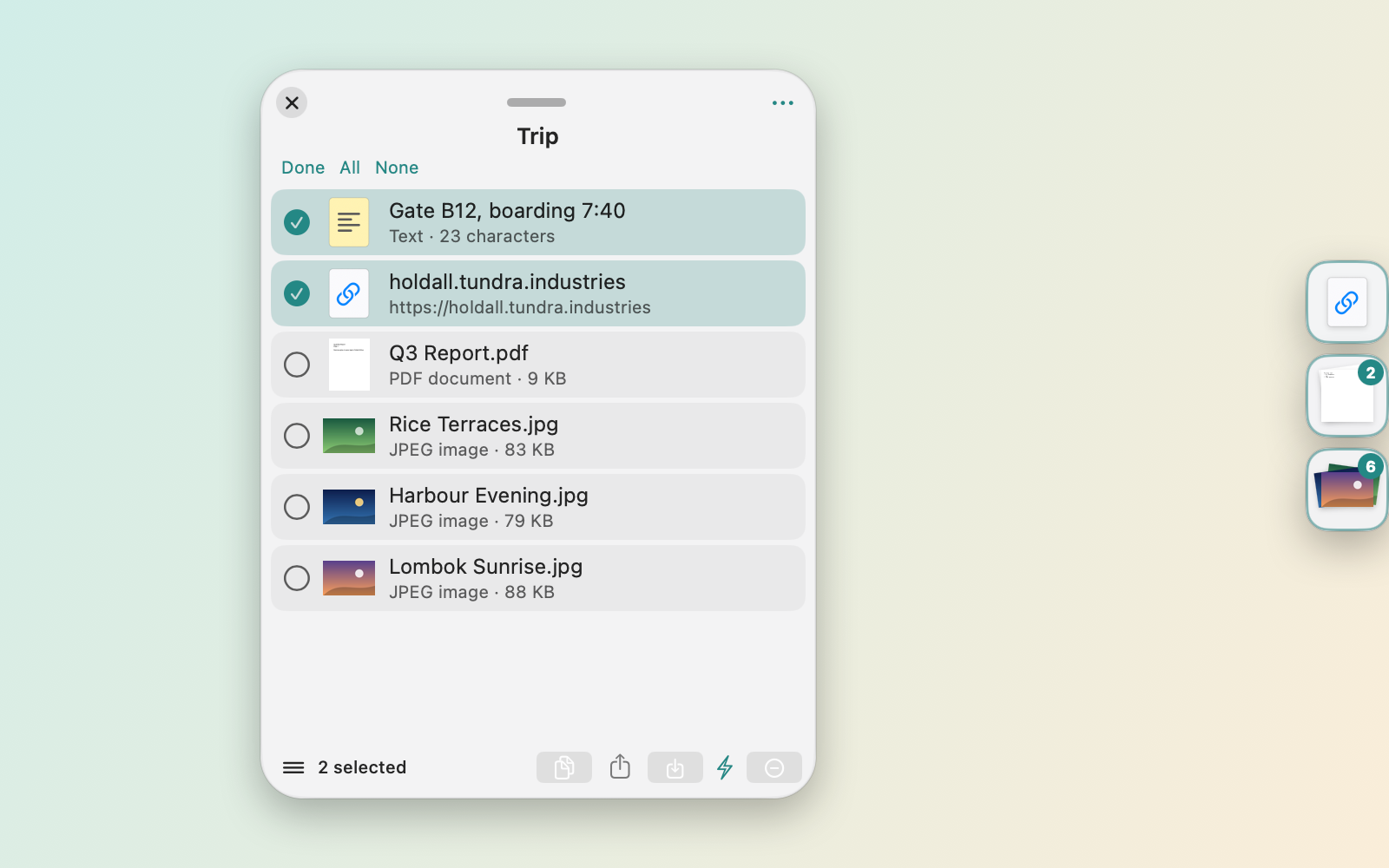
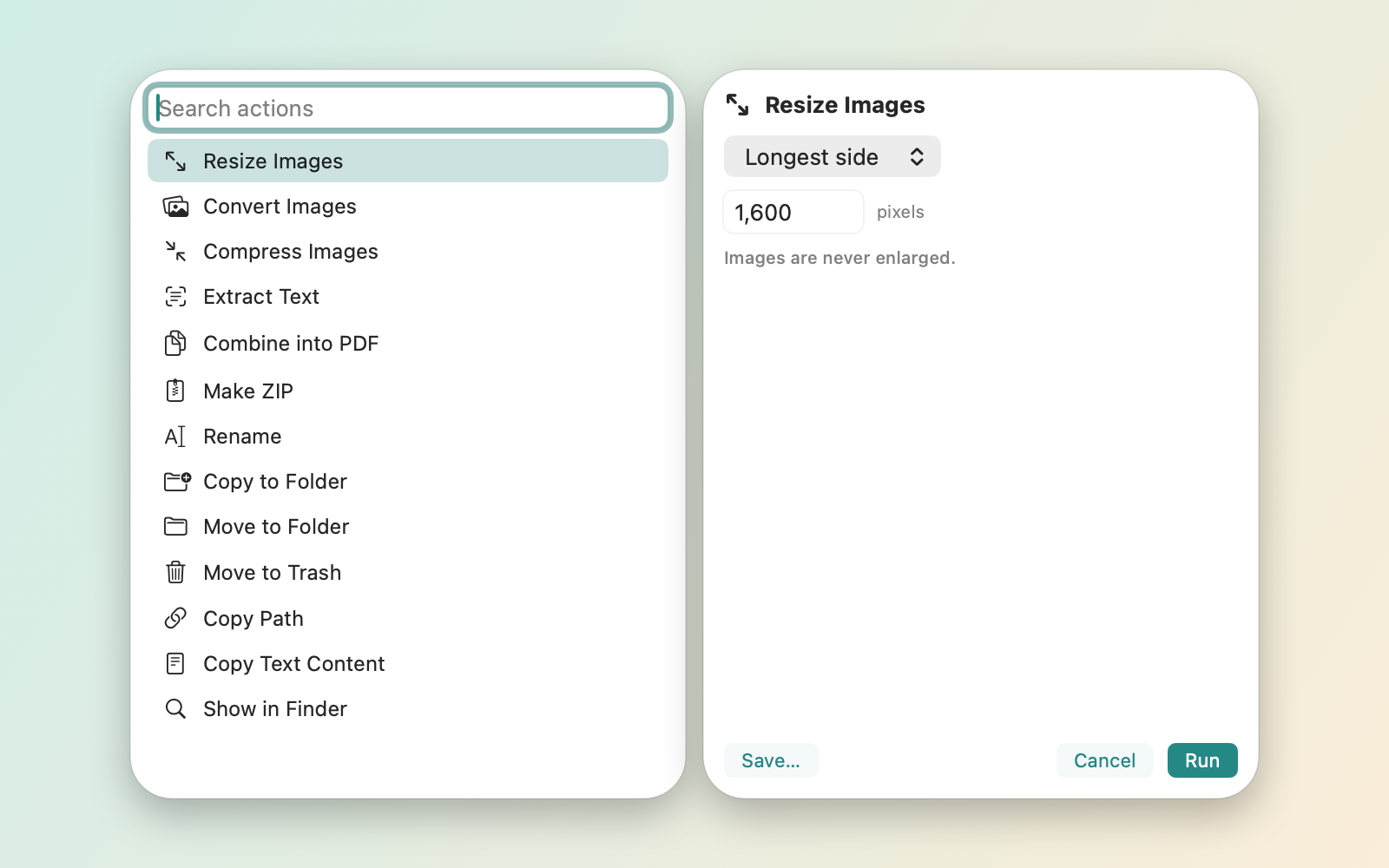
Dropbay is a drag-and-drop shelf for the Mac. Shake the pointer while dragging and a shelf appears next to it; drop files, folders, text, links or images on it, go to the destination, and drag everything out at once. Shelves can be named, coloured and docked as tabs on any screen edge, and they survive restarts. Built-in actions resize and convert images, combine PDFs, extract text and make ZIP files. Dropbay is a direct download with a 14-day free trial of Pro, then $5.99 once; without a license it stays free with no waiting.
Facts
- Requires
- macOS 14 Sonoma or later, Apple silicon or Intel
- Price
- $5.99 once
- Free trial
- 14 days of Pro, then a free mode with no waiting
- Macs per license
- Up to 3
- Distribution
- Direct download from the website, with built-in updates
- Privacy
- No account, no ads, no analytics
- Developer
- Tundra Industries
- Website
- dropbay.app
- Contact
- support@tundra.industries
Features
- Shake the pointer while dragging to open a shelf; also a shortcut (Control-Option-Space), the menu bar or the notch
- Files, folders, text, links and images, including drags from Photos and Mail
- Several named, coloured shelves, docked as tabs on any screen edge
- Shelves survive restarts; pin shelves and reopen the last 10
- Quick Look on anything on a shelf
- Actions: resize, convert and compress images, extract text, combine PDFs, ZIP, batch rename
- Instant Actions that run on drop, and your own AppleScript, Automator or shell scripts
- Upload to your own S3, R2 or B2 bucket
- Watched folders
- Shortcuts, Control Center controls, widgets, Spotlight and a command-line tool
Assets
Download the press kit (ZIP, 3.9 MB)
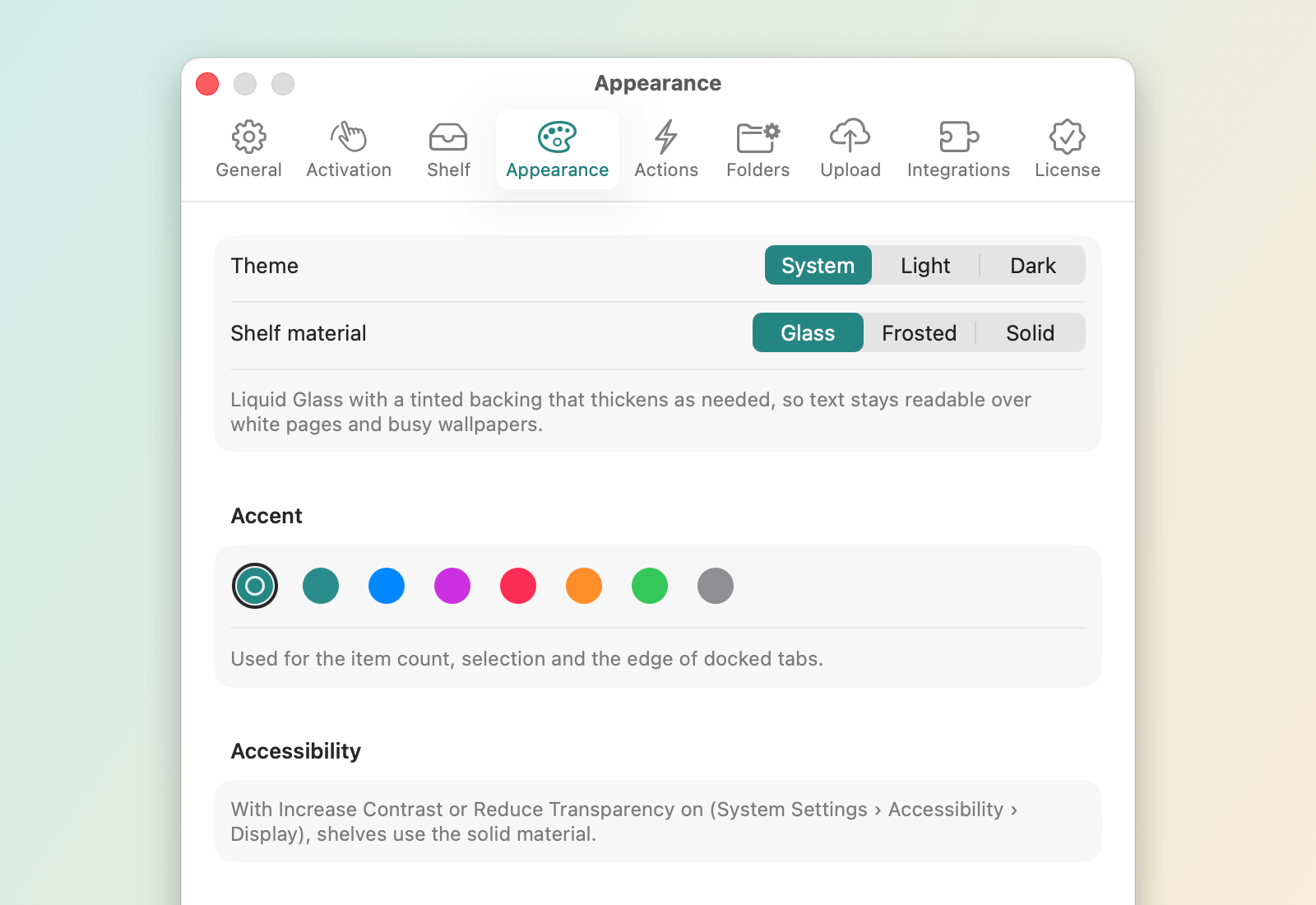
Icon (1024 px), 4 screenshots, social card (1200×630) and a fact sheet as text.


Dropbay is made by Tundra Industries. More Mac apps: tundra.industries/press