
How to select multiple files on a Mac
To select multiple files on a Mac, hold Command and click each file in Finder. To select a run of files in list or column view, click the first, then hold Shift and click the last. Command-A selects everything in the folder, and Command-clicking a selected file deselects it.
Last checked: October 2026 on macOS 26 Tahoe.
The ways to select
- Command-click: adds or removes one file at a time, in any view.
- Shift-click: in list and column view, selects everything between the first file you clicked and this one. In icon view, Shift-click adds single files, like Command-click.
- Command-A (Edit › Select All): selects every item in the window. Option-Command-A deselects all.
- Drag a box: in icon view, start in an empty spot and drag a rectangle over the files. Hold Command while dragging to add to the current selection.
- Keyboard: in list view, hold Shift and press the Up or Down Arrow to grow the selection.
Select files of one kind
- Open the folder and choose View › as List.
- Choose View › Use Groups, or click the Kind column header to sort by kind.
- Click the first file of that kind, then Shift-click the last.
To find files by name, press Command-F in the folder, choose the folder name next to Search, type part of the name, then press Command-A in the results.
Check what is selected
Choose View › Show Status Bar to see a count such as "4 of 37 selected" at the bottom of the window. To see the total size, press Option-Command-I for the Inspector, which updates as the selection changes.
Select files in different folders
A Finder selection lives in one window, so you cannot Command-click files in two folders into one selection. The workarounds:
- Recents or a search of This Mac show files from many folders in one list.
- Tags: give each file the same tag, then click the tag in the sidebar to list them together.
How to move files from several folders at once walks through both.
With Dropbay
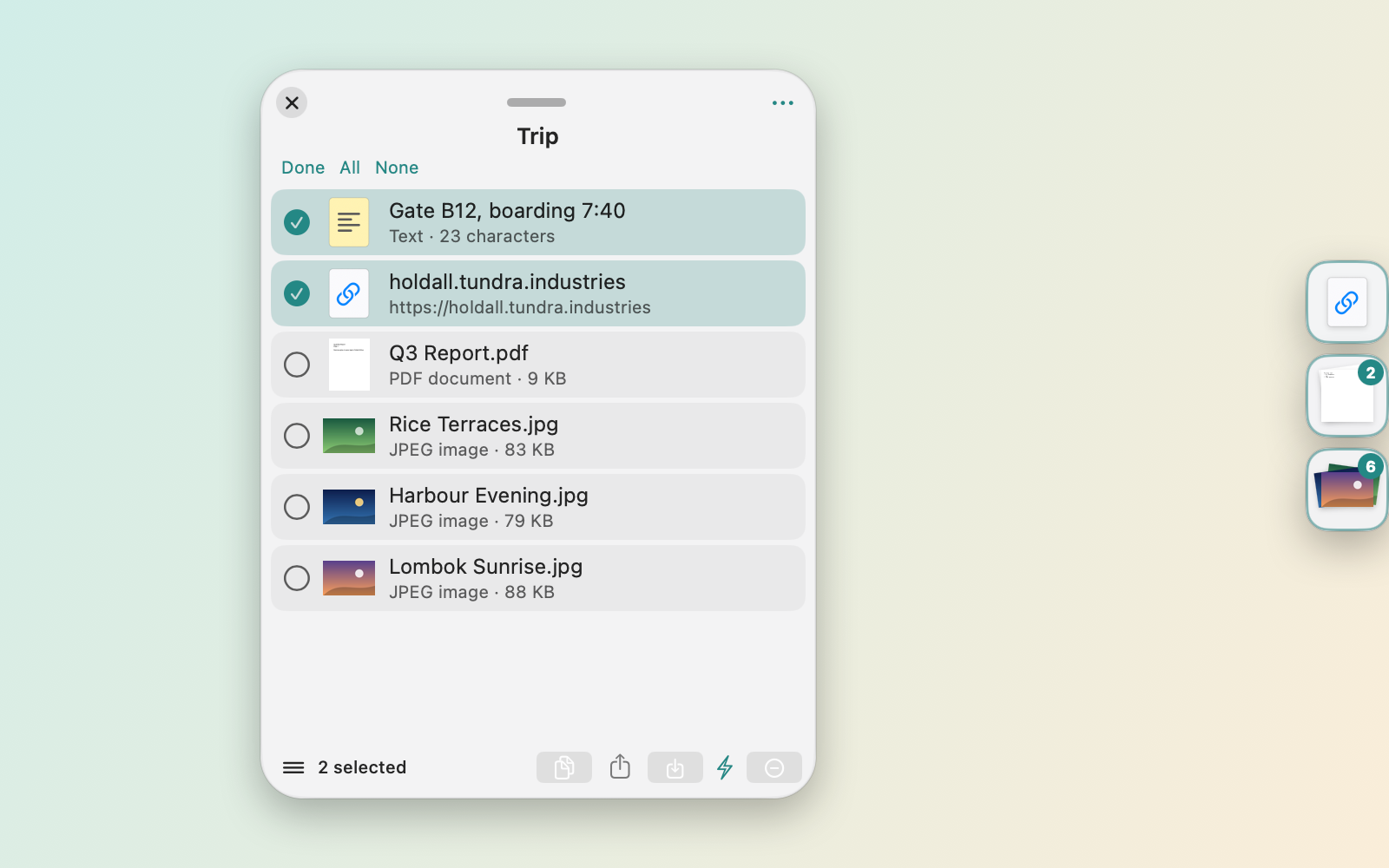
Dropbay collects files from any number of folders into one place. Drag a selection from the first folder, shake the pointer and drop it on the shelf that appears, then do the same in the next folder. On the shelf, switch to list view and click Select to tick just the items you want, or act on everything at once: drag it all out, copy it with Command-C, or share it with AirDrop. With Pro, the same shelf can be zipped, renamed in a batch, or resized if it holds images.
The shelf is free and stays free after the 14-day trial of Pro. Pro is $5.99 once on up to 3 Macs. macOS 14 or later.
Questions
Why does Shift-click not select a range in icon view?
In icon view Shift-click adds single files. Switch to list view (Command-2) to select a range with Shift-click, or drag a box around the files.
How do I deselect one file without losing the rest?
Command-click that file. The others stay selected.
How do I select multiple files on a Mac trackpad?
Hold Command and click each file, or press on an empty spot and drag a box around them. With three-finger drag turned on, you can drag the box with three fingers.