
A drag and drop shelf for Mac
To hold files while you drag them between windows on a Mac, use spring-loaded folders, a Finder tab, the Desktop or Move Item Here, which are all built in, or a shelf app that keeps the files in a small floating window until you drag them out. macOS has no floating shelf of its own. This page covers each built-in way, where it stops working, and how a shelf does the same job.
Last checked: October 2026 on macOS 26 Tahoe.
The built-in ways to hold files while you drag
macOS has no floating shelf, but it has several tools that cover part of the job.
Spring-loaded folders
- Check that spring-loading is on: System Settings > Accessibility > Pointer Control > Spring-loading.
- Drag a file onto a folder in Finder and hold it there. The folder opens after a moment.
- Keep holding over the next folder until you reach the destination, then let go. Pressing Space while hovering opens the folder at once.
Limits: you have to hold the drag the whole way, and it only works when the path to the destination starts in a visible Finder window or the Dock.
Finder tabs and the sidebar
Open the destination in a Finder tab (Command-T), then drag files onto the tab's title. You can also drag files onto a folder in the Finder sidebar, or onto a folder in the Dock. Limits: these work for Finder destinations only, not for an upload field in a browser or an attachment in Mail.
The Desktop as a staging area
Drag files to the Desktop, switch to where they belong, then drag them from the Desktop. Show the Desktop with a trackpad spread gesture or by setting a hot corner in System Settings > Desktop & Dock > Hot Corners. Limits: dragging to the Desktop from the same disk moves the files there, the Desktop is usually covered by windows, and items left there tend to stay.
Copy and Move Item Here
Select files in Finder and press Command-C, go to the destination folder and press Option-Command-V to move them, or Command-V to copy them. Limits: the clipboard holds one set of items at a time, so you can't collect files from three folders this way.
How a shelf does it
Dropbay is a shelf for the things you are dragging. Start dragging and shake the pointer from side to side; a shelf appears next to the pointer. Drop the file, go find the next one, drop that too. When you reach the destination, drag the whole stack out in one move.
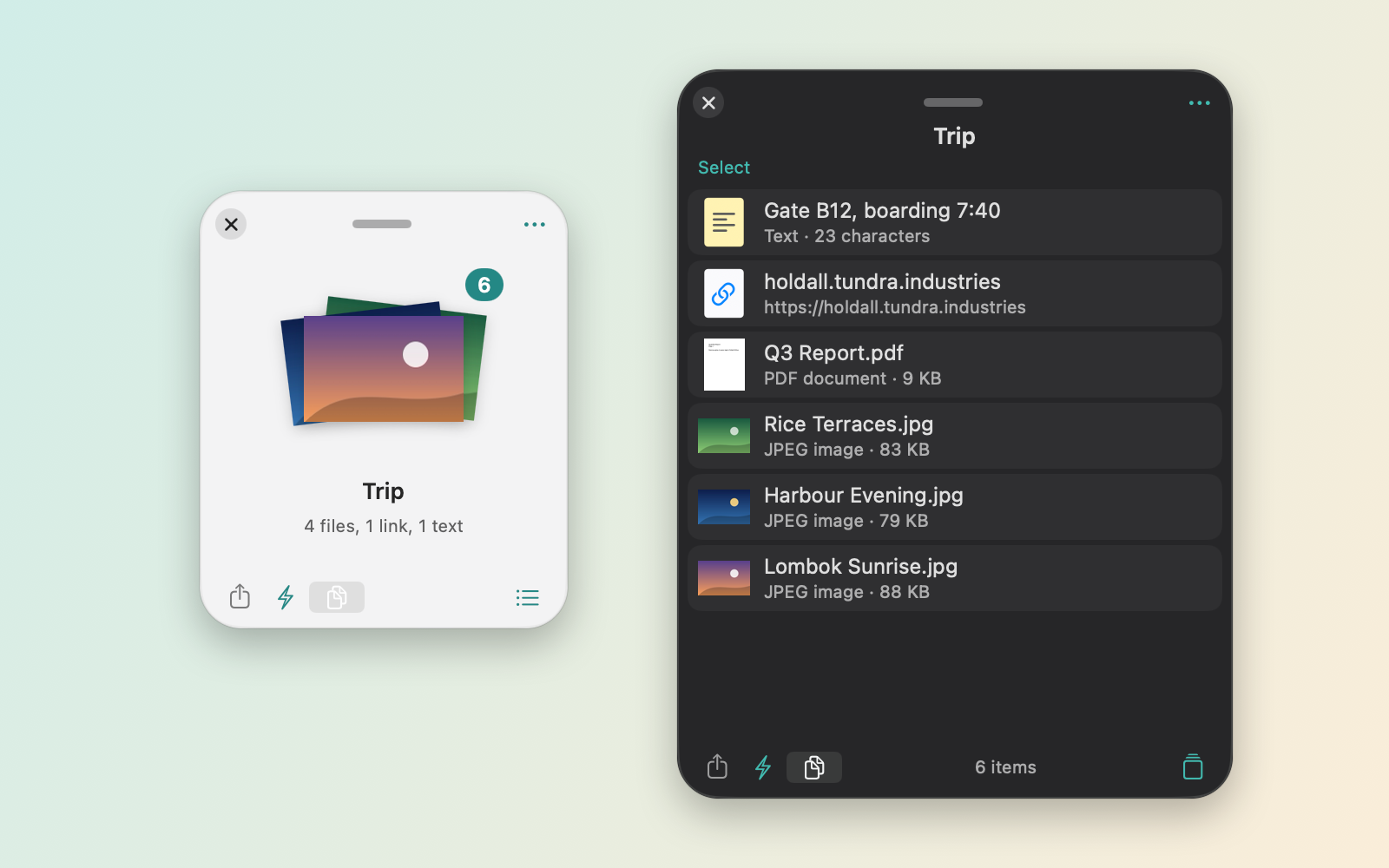
- Three more ways to open a shelf: press Control-Option-Space, drop on the Dropbay icon in the menu bar, or drop on the notch area.
- More than files: folders, text, links and images go on the same shelf. Photos dragged from Photos and messages dragged from Mail work too.
- Several shelves: name them and give each one of 8 colours. With shelves open, a shake shows each one next to the pointer, plus New Shelf.
- Dock to an edge: drag a shelf to any edge of any display and it becomes a small tab. Hover the tab to open it.
- Drag out all, one, or a selection. Files moved in Finder are taken off the shelf; you can turn that off in Settings.
- Remembered: shelves and their contents are still there after a restart. Pin the ones you use often.
- Tuning: shake sensitivity is adjustable, and you can list apps where shaking is ignored.
The shelf features above are free and stay free after the 14-day trial. Pro adds image, PDF and ZIP actions, batch rename, Instant Actions, your own scripts and watched folders, for $5.99 once on up to 3 Macs. Dropbay needs macOS 14 or later and runs on Apple silicon and Intel. It does not ask for Accessibility permission.
Questions
Does macOS have a built-in drag and drop shelf?
No. Spring-loaded folders, Finder tabs and the Desktop cover some of the same need, but there is no floating shelf that holds items while you switch windows.
Does a shelf copy my files?
Dropbay keeps a reference to each file, not a copy. Dragging out to another folder on the same disk moves the file, as Finder does; holding Option copies it.
Does Dropbay need Accessibility permission to detect the shake?
No. Dropbay does not ask for Accessibility permission.
Can I keep a shelf open all the time?
Yes. Dock it as a tab on a screen edge, or pin it so it reopens after you close it.